1The cat clapping template
This clip guides the actions, camera shots, and timing. Everyone starts with the same template.
CAT CLAPPING · TWO-PHOTO AI VIDEO MAKER
Upload one person photo and one cat photo. Make a 10-second AI cat clapping video.Upload a person photo and a cat photo to make your own 10-second cat clapping video. Choose 480p or 720p, preview the result, and download your MP4.
AI Cat Clapping Video Generator
MAKE YOUR VIDEO
Add your photos, choose a quality, and make your video. Watch and download it here when it’s ready.
1Person photo
Clear, front-facing, one person
2Cat photo
One cat, full body, facing the camera
Product information by Cat Clapping · Updated
A cat clapping video is a playful reaction meme: a cat brings its front paws together as if applauding. Use it to celebrate, show approval, or add a little sarcasm. Here, you can make an AI version with your own photos.
Your photos give the person and cat their look. The template guides their movements and the camera shots. AI may change faces, paws, or timing, so watch the full video before sharing.
Read the photo and download guideBEFORE YOU GENERATE
Check these four things before uploading. This checklist is for you to review; it does not scan or score your photos.
0 of 4 checked
Choose a well-lit photo with the eyes, nose, and mouth clearly visible. Avoid sunglasses, blur, or a hand covering the face.
Choose a photo with the cat’s ears, body, and front paws in view. A higher video resolution cannot fill in details missing from the photo.
Use one photo of a person and one of a cat. Avoid collages, group shots, and objects covering the cat.
Make sure you have permission from the photo owners and anyone shown in the photos.
How it works
The template sets the scene. Your photos give it a new person and cat. Faces and movements may look different in the finished video.
This clip guides the actions, camera shots, and timing. Everyone starts with the same template.

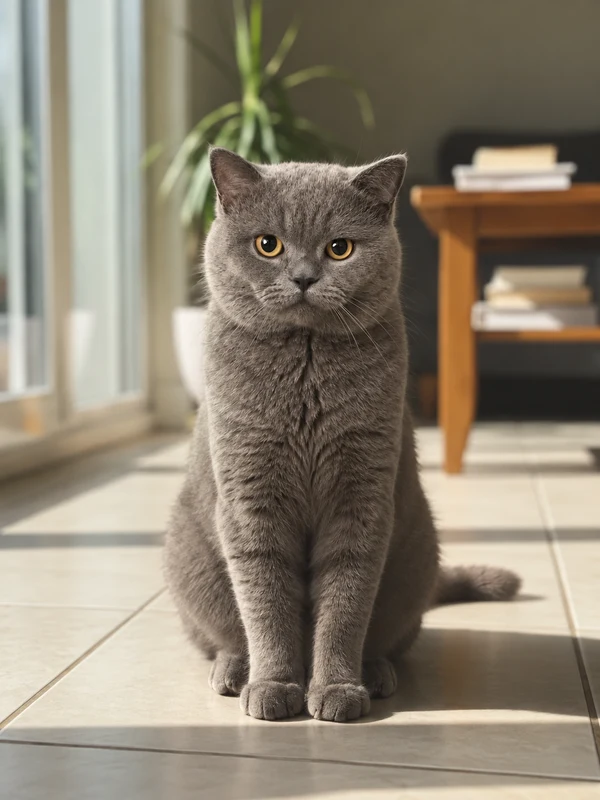
A person photo and a cat photo, uploaded separately. These examples show the kind of photos to choose.
We haven’t added a finished video for these example photos yet.
AI can change details as the video plays. Watch the whole clip and check these four things.
Pause on a close-up. Does the person look right? Does the cat’s fur match your photo?
Watch the clap, then replay it. Check for paws that merge, extra legs, or sudden changes in shape.
Make sure the cat’s ears and paws stay in view as it moves.
Download the MP4, add audio you have permission to use, and follow your platform’s AI labeling rules.
Each pack adds credits to your account. Pay once; any unused credits expire 365 days after purchase.
A 10-second video uses 185 credits at 480p, or 410 at 720p.
Mini
Try your first few videos
Starter
Room for a few variations
Creator
Make more versions to choose from
A 10-second video uses 185 credits at 480p, or 410 at 720p.
| One-time pack (USD) | Pack credits | 480p | 720p |
|---|---|---|---|
| One-time pack (USD)$6.99 | Pack credits699 | 480pVideos: 3 | 720pVideos: 1 |
| One-time pack (USD)$9.90 | Pack credits990 | 480pVideos: 5 | 720pVideos: 2 |
| One-time pack (USD)$24.90 | Pack credits2490 | 480pVideos: 13 | 720pVideos: 6 |
Counts assume you spend the whole pack at one quality. Don’t add the two columns together. Unused credits stay in your account, and each new attempt has its own cost.
A few things to know before you make your video.
“What should I know about Catclapping.net’s photos, pricing, failed attempts, sound, and AI results?”
Pick your favorite photos, make a video, and see how it turns out.